The decision this helps you make
Creative projects stall when the team starts choosing treatments before agreeing what the work needs to accomplish. A decision canvas puts the essentials on one page: who the work is for, what matters to them, what the business can demonstrate and what happens next. Use it for a campaign, a new service page or a production brief. It is deliberately smaller than a complete strategy document. The purpose is to expose disagreements early enough to resolve them before execution.
Write decisions in language another person can act on. “Premium,” “engaging” and “innovative” may describe an ambition, but they do not identify the content that should appear. Our canvas asks for an offer, evidence and a next action beside the intended audience. Google’s helpful-content guidance is useful background for keeping the resulting material useful to people. The framework itself is an original editorial planning aid, not a researched scoring system.
A creative brief becomes useful when its decisions explain why the work should contain one thing rather than another.
The working model
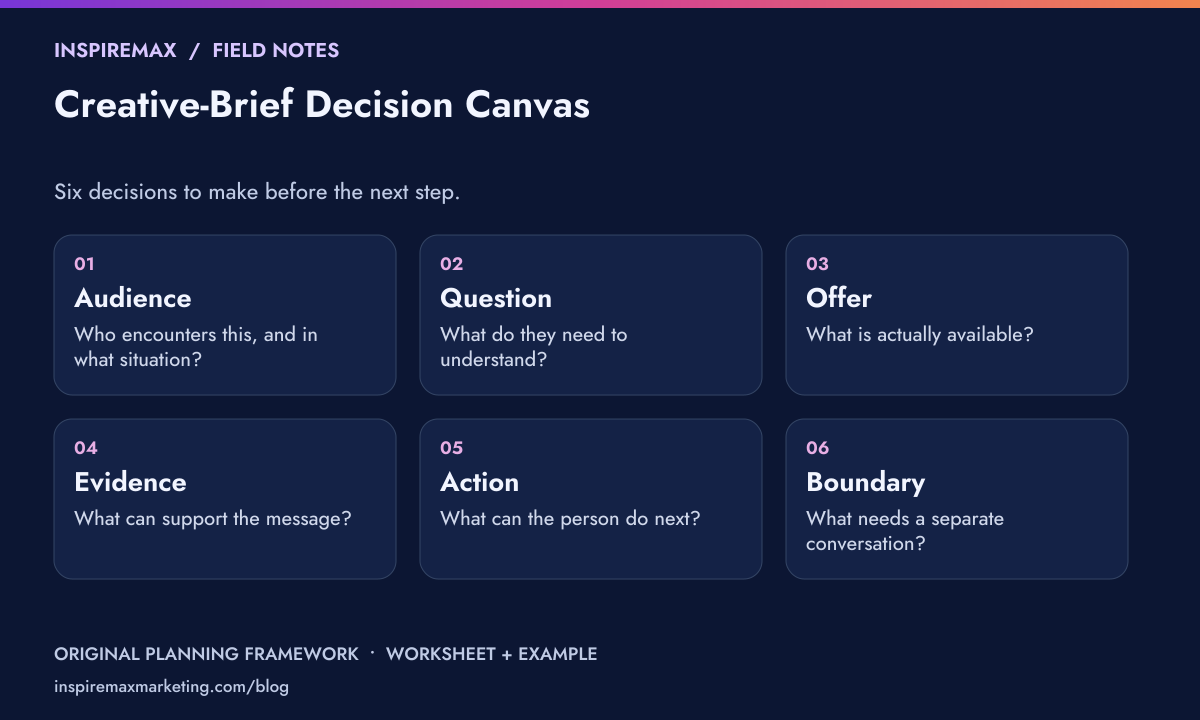
Six decisions to record
Use the questions below with the actual project information. The examples are illustrative, not client results. Download the CSV to record your answers, supporting information, decision owner and status.
| Decision | Question to resolve | Illustrative example |
|---|---|---|
| Audience | Who encounters this, and in what situation? | A decision-maker comparing help for a specific project |
| Question | What do they need to understand? | Scope, relevant work or the first step |
| Offer | What is actually available? | An accurately described service or conversation |
| Evidence | What can support the message? | An approved example, demonstration or factual detail |
| Action | What can the person do next? | Explore a resource or send a project inquiry |
| Boundary | What needs a separate conversation? | Unresolved details and work outside this piece |
Step 01
Name the situation, not only a demographic
Describe when the person encounters the work and what they need to decide. A business owner comparing website help has a different immediate question from a customer looking for support. Keep the creative brief connected to that moment.
Step 02
Connect the offer with evidence
Explain what the business is actually offering and which example, demonstration or process detail supports the message. If a claim has no support, change the wording or investigate it before designing around it. Evidence is a creative input, not a late decoration.
Step 03
Define the next action and the boundary
State what someone can do after encountering the work and what the project will not attempt to explain. This creates a usable focus without pretending secondary needs do not exist. Assign an owner to open questions and record the version of the canvas that was approved.
Apply the method
A worked example
Illustrative example: a team asks for a campaign that promotes every service at once. The canvas reveals that the immediate audience is preparing a product launch. A focused piece can connect that task to relevant photography, video and design examples without trying to explain the entire agency. List the broader services as a separate navigation need. The approved canvas gives the creative team a reason to choose certain assets and leave other attractive but unrelated work out.
Before you call it complete
- Does the audience include a real situation?
- Is the offer accurate and specific?
- Can the evidence support the message?
- Does the next action match the stage of the decision?
- Are open questions assigned to an owner?
Reference and attribution
This is an original InspireMax editorial framework, with a primary reference for the related guidance: Google Search Central: helpful, reliable content ↗. The worksheet and examples are planning aids, not measured performance benchmarks.
Cite this resource
InspireMax Marketing. “The Creative-Brief Decision Canvas: Audience, Offer, Evidence and Action.” November 11, 2026. https://inspiremaxmarketing.com/blog/creative-brief-decision-canvas/
Found something that needs correction? Tell us which resource and detail to review.
Put the plan to work
Planning a project in Greater Milwaukee?
InspireMax brings strategy, design and production together. Tell us what you are trying to accomplish, what you already have and the timing you are considering. We will discuss the scope and practical next steps.