The decision this helps you make
Launch reviews can become a long list in which a broken inquiry form sits beside a preference about an icon. Both may deserve attention, but they should not be treated as the same decision. This triage matrix groups findings by the task they affect, their severity and the evidence needed to close them. It is useful for a new website, a redesign or a substantial release. It does not replace the project’s acceptance criteria; it helps the team apply them consistently.
Prioritize the consequence of the defect before debating the size of the fix. A small broken link can block the primary inquiry route. A larger visual improvement may be valuable without preventing launch. Google’s site-move guidance is a useful reference when URLs are changing. Our triage model also includes forms, mobile use, content accuracy and the operational ability to restore the previous version.
Launch priority comes from the visitor task a defect affects, not how dramatic the defect looks in a list.
The working model
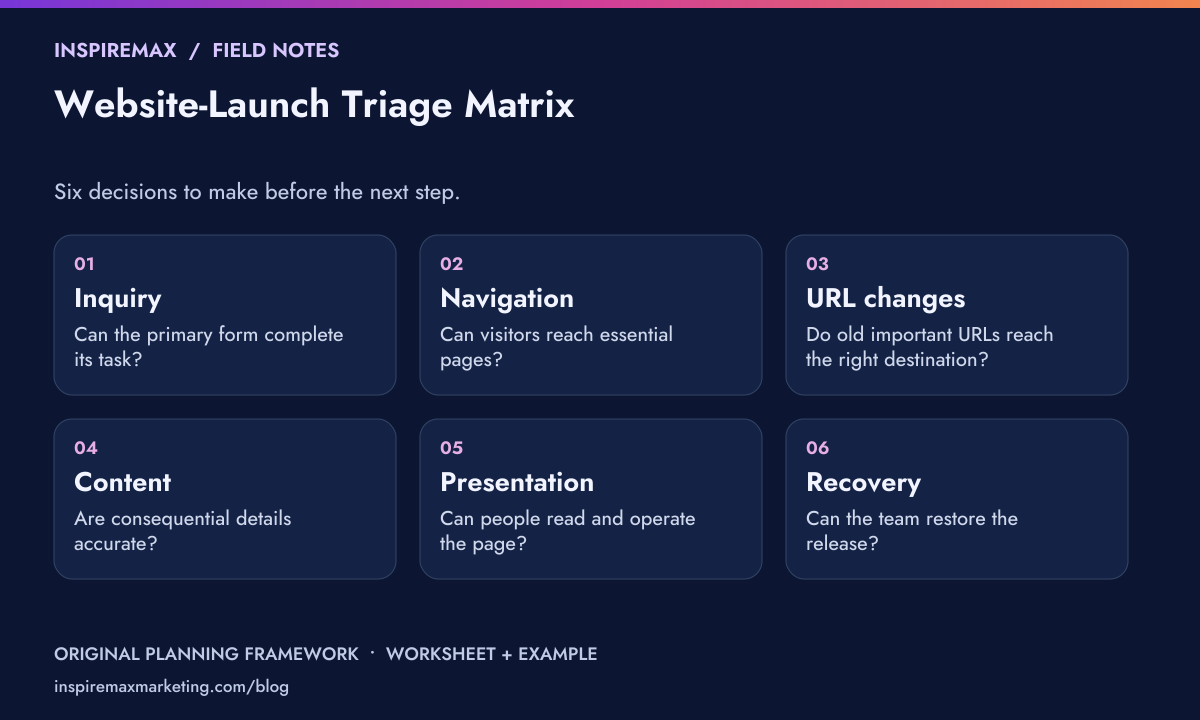
Six decisions to record
Use the questions below with the actual project information. The examples are illustrative, not client results. Download the CSV to record your answers, supporting information, decision owner and status.
| Decision | Question to resolve | Illustrative example |
|---|---|---|
| Inquiry | Can the primary form complete its task? | Test validation, delivery and confirmation appropriately |
| Navigation | Can visitors reach essential pages? | Check actual links and narrow-screen menus |
| URL changes | Do old important URLs reach the right destination? | Maintain and test a redirect map |
| Content | Are consequential details accurate? | Review claims, service scope and contact information |
| Presentation | Can people read and operate the page? | Check mobile layout, focus and readable contrast |
| Recovery | Can the team restore the release? | Keep a current backup and change record |
Step 01
Define the essential visitor tasks
Name what must work on launch day: finding a service, understanding the offer, reaching the form and receiving confirmation. Add project-specific requirements rather than relying on a generic checklist. Record the devices and paths that represent those tasks.
Step 02
Write reproducible findings
Include the URL, steps, expected result, actual result and a screenshot where useful. Distinguish a verified failure from an untested concern. A reviewer should be able to reproduce a blocker without interpreting an ambiguous comment.
Step 03
Assign a decision and a retest
Use categories such as blocks an essential task, degrades an important experience or improves polish. Name an owner and the evidence that will close the item. Retest the actual affected journey after the change, not just the component in isolation.
Apply the method
A worked example
Illustrative example: testing finds an oversized heading on one screen and an inquiry button that opens the wrong destination. The button blocks an intended action and needs immediate attention. The heading still needs a clear decision based on readability and layout, rather than being dismissed because it is visual. Record both with evidence, assign owners and retest. If a fix touches shared navigation, broaden the retest to representative pages that use the same component.
Before you call it complete
- Are essential tasks defined?
- Can findings be reproduced?
- Are severity decisions explained?
- Does each fix have a retest owner?
- Is a recoverable backup available before release?
Reference and attribution
This is an original InspireMax editorial framework, with a primary reference for the related guidance: Google Search Central: URL changes and site moves ↗. The worksheet and examples are planning aids, not measured performance benchmarks.
Cite this resource
InspireMax Marketing. “The Website-Launch Triage Matrix: Sort Blockers From Improvements.” November 9, 2026. https://inspiremaxmarketing.com/blog/website-launch-triage-matrix/
Found something that needs correction? Tell us which resource and detail to review.
Put the plan to work
Planning a project in Greater Milwaukee?
InspireMax brings strategy, design and production together. Tell us what you are trying to accomplish, what you already have and the timing you are considering. We will discuss the scope and practical next steps.