The decision this helps you make
Industrial filming requires more than a list of impressive equipment. The production team needs to understand approved areas, operational timing, sensitive information and who can answer questions on site. This access map helps a manufacturer prepare for a planning conversation. It is not a safety plan, site authorization or permission to operate equipment. Facility requirements remain with the responsible site team. The worksheet helps those requirements reach the producer before the filming approach is finalized.
Connect each proposed scene with an approval and access decision. A process may be visually useful but unavailable during the planned visit, or it may display information that should not appear in a public video. Adobe’s production overview is useful background for treating planning as part of the production workflow. Our map adds practical coordination prompts for a manufacturing setting without assuming every facility follows the same procedure.
A manufacturing filming plan is stronger when every proposed scene is connected to real access and factual approval.
The working model
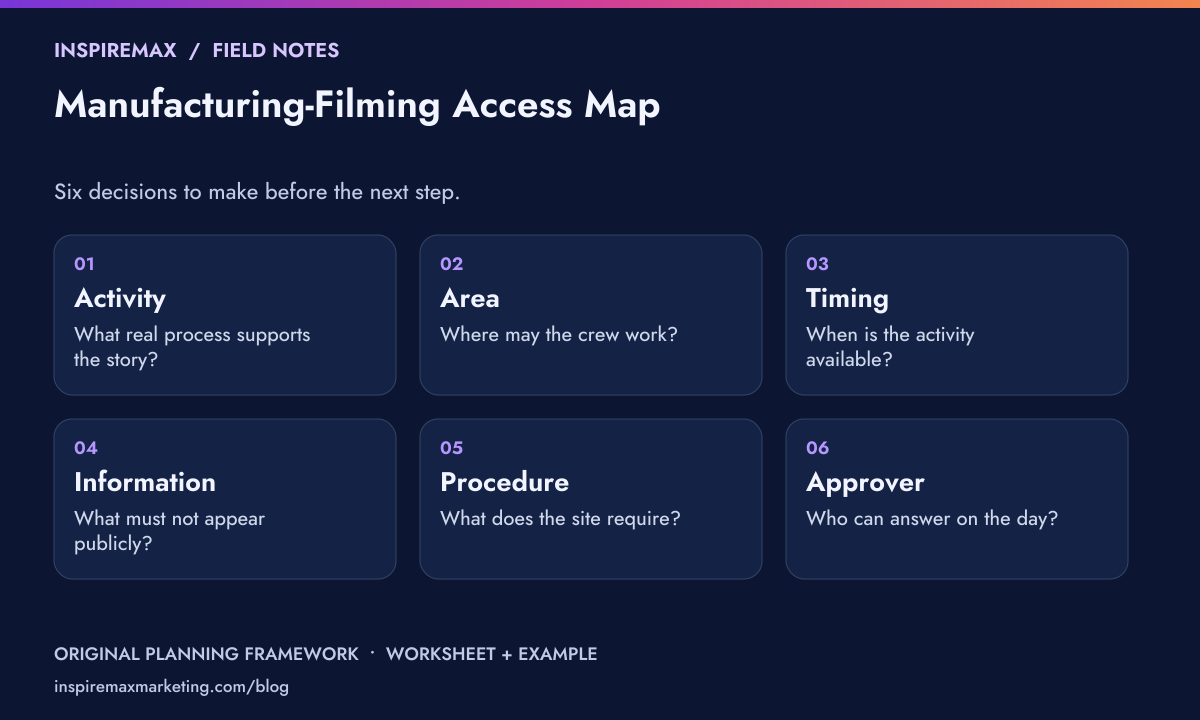
Six decisions to record
Use the questions below with the actual project information. The examples are illustrative, not client results. Download the CSV to record your answers, supporting information, decision owner and status.
| Decision | Question to resolve | Illustrative example |
|---|---|---|
| Activity | What real process supports the story? | An approved operation or demonstration |
| Area | Where may the crew work? | Facility-confirmed locations and boundaries |
| Timing | When is the activity available? | Operational schedule and dependencies |
| Information | What must not appear publicly? | Screens, labels, documents or customer details for review |
| Procedure | What does the site require? | Instructions supplied by the responsible facility team |
| Approver | Who can answer on the day? | A named site and factual contact |
Step 01
Map the story to approved activities
Identify what the viewer needs to understand and which actual activities could explain it. Ask the facility contact to confirm what may be shown. Do not substitute an invented process or imply a production capability simply because equipment looks similar.
Step 02
Document constraints with the site owner
Record access, timing, participant availability and any required site procedures. Ask who reviews visible screens, labels, documents or customer information. The production plan should respect the facility’s decisions rather than make assumptions about what can be moved or stopped.
Step 03
Plan an accurate alternative
If a process cannot be filmed, discuss an approved explanation or another truthful way to communicate the point. Confirm whether the alternative changes the message or deliverables. A clear limitation is easier to work with than an unspoken expectation that the crew will improvise unrestricted access.
Apply the method
A worked example
Illustrative example: a planned sequence includes a machine control screen and a finished-product area. The facility review finds customer information visible in both locations. The team can agree an accurate, approved framing or another demonstration before filming. The decision belongs in the access map alongside the scene, not in a disconnected message. If the alternative affects what can be claimed about the process, update the script and factual review list too.
Before you call it complete
- Are activities and locations approved by the facility?
- Is operational timing confirmed?
- Are information restrictions recorded?
- Has the site supplied applicable procedures?
- Is an accurate alternative planned for unavailable scenes?
Reference and attribution
This is an original InspireMax editorial framework, with a primary reference for the related guidance: Adobe: video production workflow ↗. The worksheet and examples are planning aids, not measured performance benchmarks.
Cite this resource
InspireMax Marketing. “The Manufacturing-Filming Access Map: Plan What Can Be Shown Before the Crew Arrives.” November 13, 2026. https://inspiremaxmarketing.com/blog/manufacturing-filming-access-map/
Found something that needs correction? Tell us which resource and detail to review.
Put the plan to work
Planning a project in Greater Milwaukee?
InspireMax brings strategy, design and production together. Tell us what you are trying to accomplish, what you already have and the timing you are considering. We will discuss the scope and practical next steps.